Bio Login Module
The main purpose of Bio Login is to capture the user's facial data and upload it to the server for biometric authentication.
The result of the upload can be monitored. Unlike the other modules, whose upload callback only confirms that the document reached the server, the Bio Login callback reports whether the document was approved — its backend flow is synchronous, so the verdict comes back with the response instead of arriving later through the event listener.
Flow overviewFlowcharts of Bio Login with backend V1 and backend V2. Expand to view them, click a chart to enlarge.
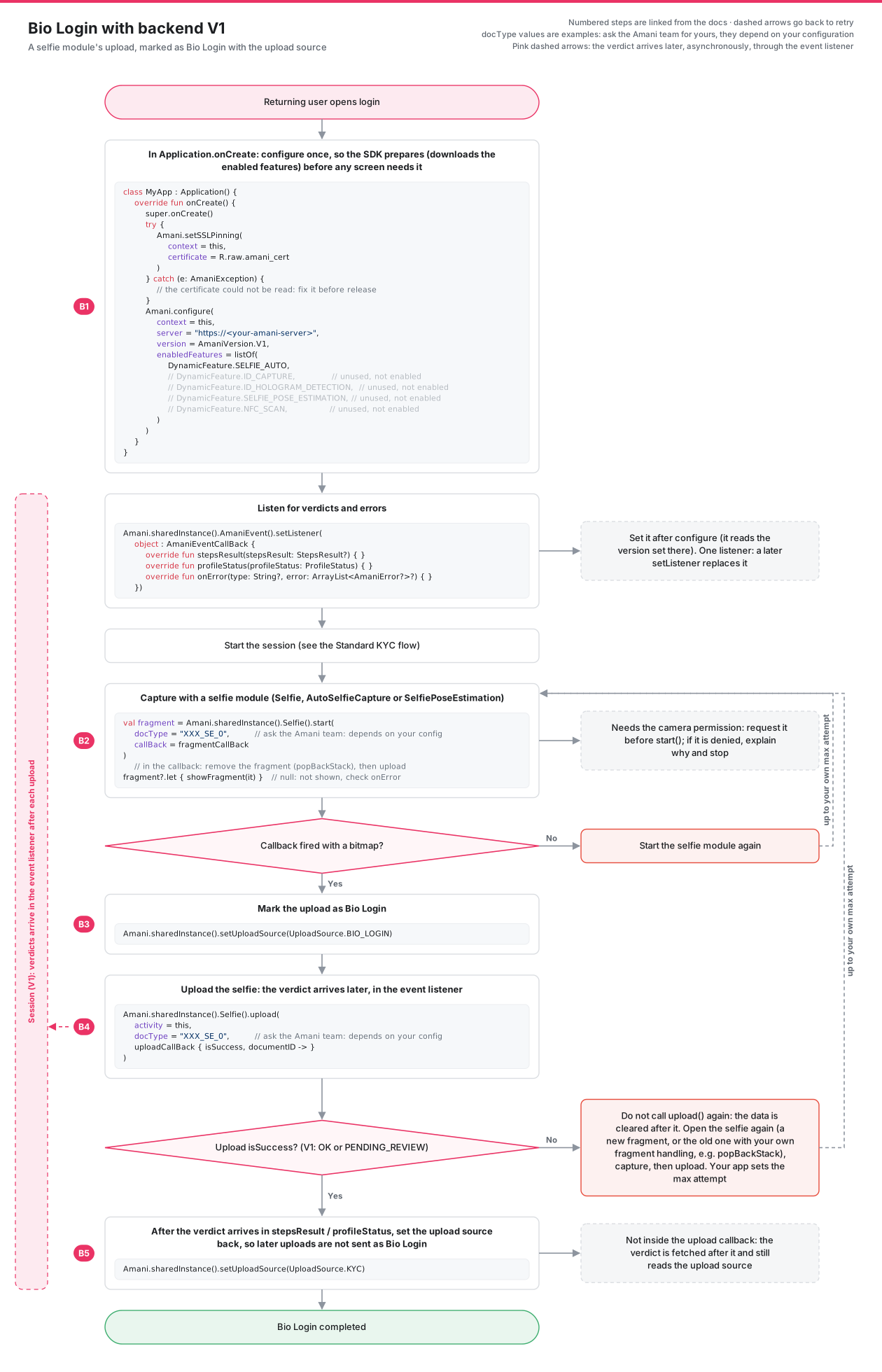
- B1: configure (backend V1), set the event listener with
AmaniEvent().setListener(...), start the session. - B2: capture with a selfie module.
- B3: set the upload source to
UploadSource.BIO_LOGIN. - B4: upload the selfie. If the upload fails, do not call
upload()again: the data is cleared after it. Open the selfie again (a new fragment, or the old one with your own fragment handling, e.g.popBackStack), capture, then upload, up to your own max attempt. On V1isSuccessistruewhen the status isOKorPENDING_REVIEW, and the verdict arrives instepsResult/profileStatusafter the upload. - B5: after the verdict has arrived, set the upload source back to
UploadSource.KYC. Not inside the upload callback: the verdict is fetched after it and still reads the upload source.
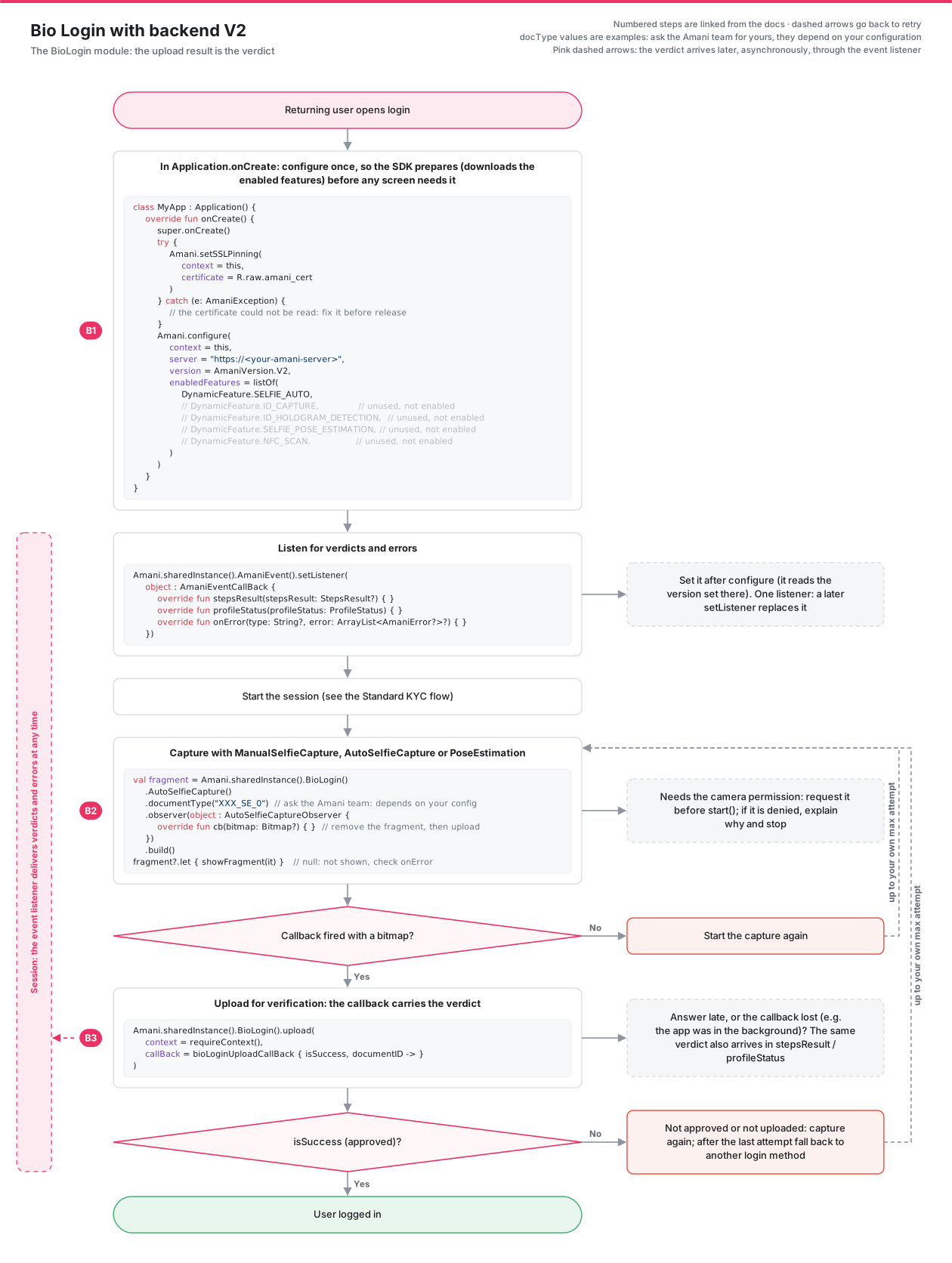
- B1: configure (backend V2), set the event listener with
AmaniEvent().setListener(...), start the session. - B2: capture with the
BioLogin()module (manual, auto or pose estimation). - B3:
BioLogin().upload(...): the callback carries the verdict; if it is not approved, capture again or fall back to another login method. If the answer is late or the callback is lost (e.g. the app was in the background), the same verdict also arrives instepsResult/profileStatus.
Between v1 and v2, the main difference lies only in the backend implementation.
Both versions support capturing the selfie either automatically (when the user is in the correct position and lighting) or manually (by pressing a button).
-
Using Bio Login with Backend V1 : Module compatible with version 1 backend for processing the captured selfie data.
-
Using Bio Login with Backend V2 : Module compatible with version 2 backend for processing the captured selfie data.