Additional Services
The Additional Services page allows you to browse and request optional add-on modules for your account. Availability of individual modules varies by company configuration.
Route
/smart-modules
Adding a Service
- Navigate to https://app.amani.ai
- Click "Add Services" in the top navigation bar
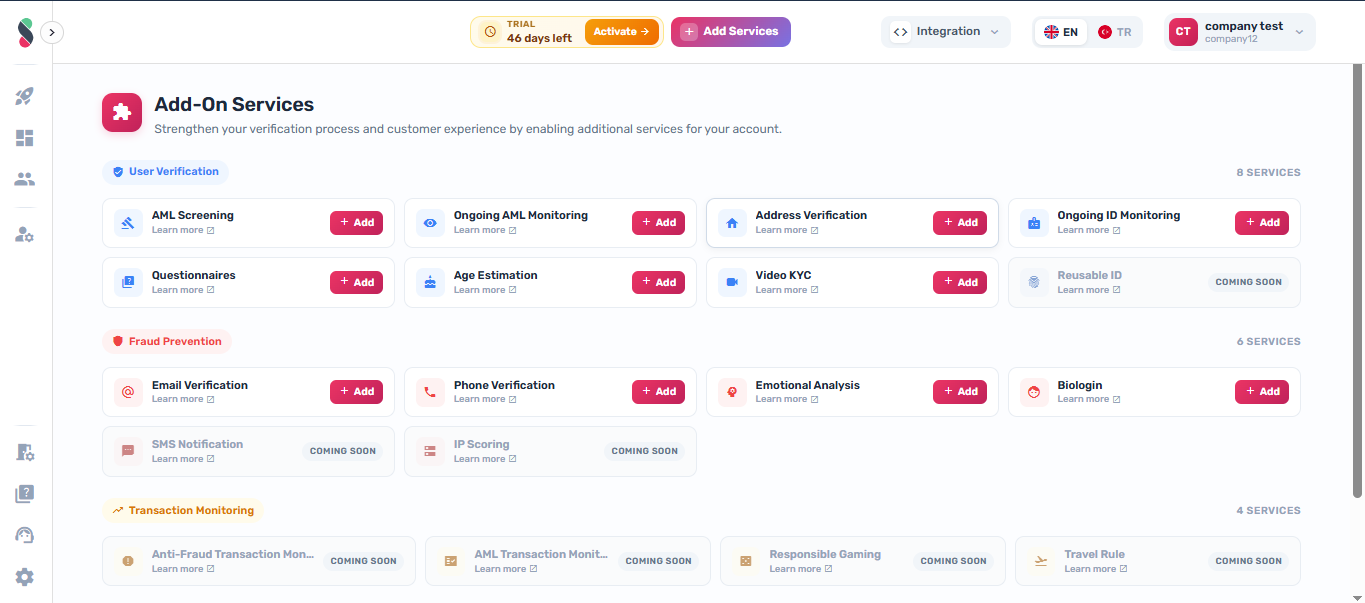
- Browse the list of available services
- Click "Learn More" next to any service to view its description
- Click "Add" next to the service you want to activate
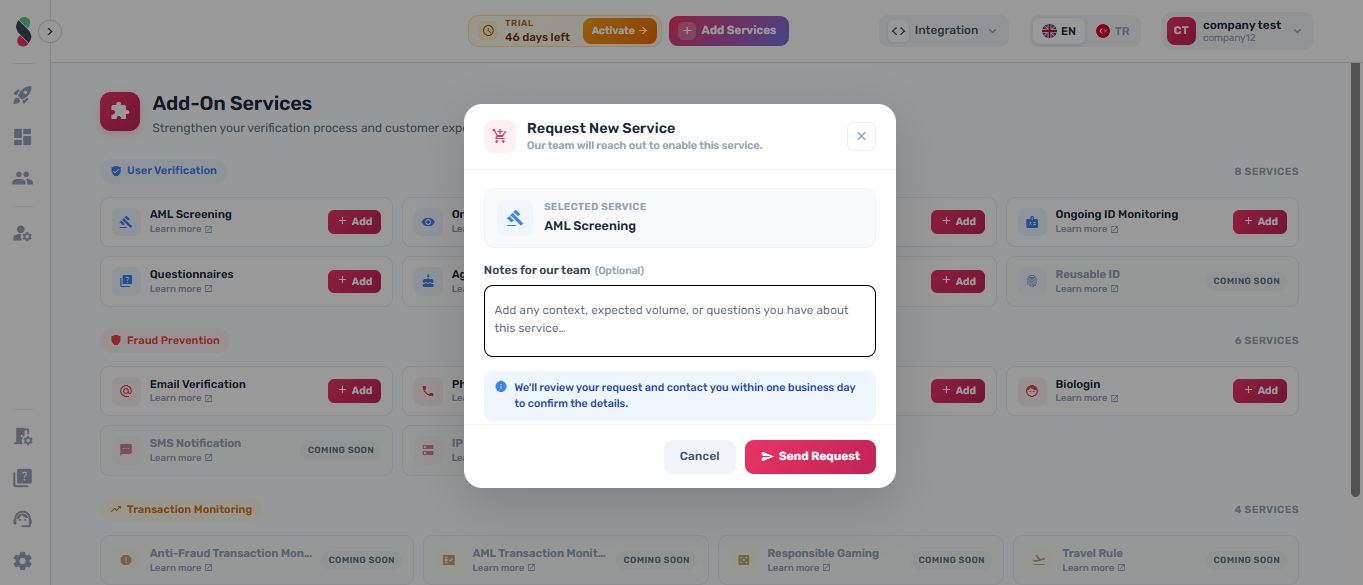
- Optionally, enter any notes or requirements in the notes field. Click "CONFIRM" to submit the request
note
Some services require review by the Amani team before activation. You will be notified once the service is live.
Service Categories
The add-on services page groups modules into the following categories:
User Verification

Fraud Prevention

Transaction Monitoring

Business Verification

Request Flow
When you click Add, Studio opens a confirmation dialog:
- Review the module name shown in the dialog.
- Optionally enter notes in the Your Notes field.
- Click Confirm to submit the request.
note
Some add-ons require review by the Amani team before they are enabled for your company.