AML
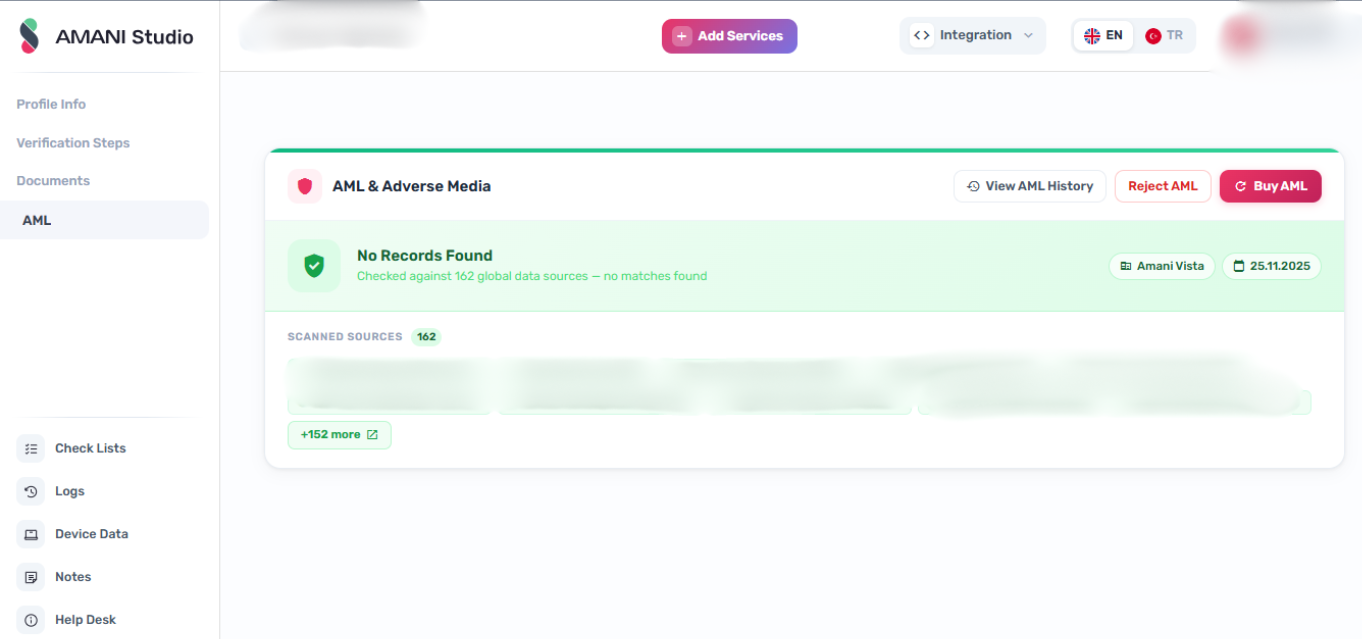
The AML section of a customer profile shows the full history of AML screening checks run against that customer. When a check returns potential matches, you can open the record to review match details and take action.
Permissions
Running AML checks and approving or rejecting results requires the AML write permission. If the Check AML button, Approve/Reject toggle, or Remove from Whitelist button are not visible, contact your administrator to review your role.
AML History
Header actions
| Action | Condition | Notes |
|---|---|---|
| Check AML | Always visible | Triggers a new AML screening; requires change_profileamlrecord |
| Approve / Reject | Visible when a latest record exists, it is not a V1 record, and the customer is not whitelisted | Toggles the AML status of the latest record; requires change_profileamlrecord. When approving a clear record, an optional checkbox allows simultaneously adding the profile to the whitelist. |
| Remove from Whitelist | Visible when customer.aml_whitelisted is true | Removes the whitelist flag and sets the latest record to rejected; requires change_profileamlrecord |
Customer info card
Displays the following fields for the profile:
| Field | Source |
|---|---|
| Risk | Risk level with status pill (NORMAL, HIGH, VERY_HIGH) |
| Name | Customer full name |
| ID Number | ID card number with copy-to-clipboard button |
| Date of Birth | Formatted DD.MM.YYYY |
Check cards
When check history exists, up to two summary cards are shown above the history table:
- Latest Check card — always shown when records exist; displays the most recent check.
- Initial Check card — shown only when there are two or more records; displays the oldest check.
Each card shows:
- Check label (Latest or Initial) and timestamp
- Status (No Records, Records Found, or Whitelisted)
- Provider name
- Scanned databases (up to 4 tags; overflow shown as
+N) - Overridden badge when the record has been manually approved or rejected (tooltip shows approver name and timestamp)
Card border and accent color reflect the record state: green (approved/clear), red (records found), blue (whitelisted).
Clicking a card follows the same navigation logic as clicking a history table row (see below).
History table
Lists all AML checks for the profile. Columns:
| Column | Description |
|---|---|
| Provider | AML provider name |
| Status | No Records, Records Found, or Whitelisted |
| Date | Check timestamp (DD.MM.YYYY HH:mm) |
| Scanned DB | Dataset tags (up to 3 shown; overflow as +N) |
| Actions | Overridden badge (when applicable) and chevron for records with matches |
A count badge in the section header shows the total number of checks.
Row / card click behavior
Clicking a check card or table row produces one of three outcomes based on the record state and provider:
| Condition | Outcome |
|---|---|
| Record has matches (status is not clear) | Navigates to the AML record detail page for that check |
| Record is clear and provider is OpenSanctions or any Amani provider that is not Vista | Opens the AML API documentation (https://documentation.amani.ai/documents/api/aml/) in a new tab |
Record is clear and provider is Amani Vista and aml_record.datasets is present | Opens a searchable datasets popup listing all scanned datasets |
AML Record Details
Route: /profile/:profileID/amlRecordDetail/:checkID
The page header shows the provider name and check timestamp.
Results are rendered based on the detected provider:
OpenSanctions / Amani Advance
A grid of match cards. Each card shows:
- Schema tag
- Caption (entity name)
- Countries
- Date(s) of birth
- Matched dataset tags
Empty state shown when no records exist.
Amani Basic
A summary section lists matched sanction lists as tags. Below it, a grid of listing cards shows each matched list with its relevancy score.
Sanction lists checked: OFAC SDN, EU List, UK List, TUR List, OFAC Consolidated, UN-AL QAIDA.
Amani Vista
A grid of match cards. Each card shows:
- Full name
- Match score (color-coded: red for high ≥ 70, amber for mid ≥ 40, green for low)
- Nationality with country flag
- Date of birth with calculated age (omitted if date of death is present)
- Date of death with age at death (when present)
- Matched dataset tags
Clicking a card opens a detail dialog.
Empty state shown when no records exist.
Amani V1
A grid of match cards. Each card shows:
- Name
- Match score (color-coded as above)
- Countries with flags
- Date of birth
- Matched list identifier
Clicking a card opens a detail dialog.
Empty state shown when no records exist.
Routes
- AML history:
/profile/:id/amlHistory - AML record details:
/profile/:profileID/amlRecordDetail/:checkID