Customers (KYC)
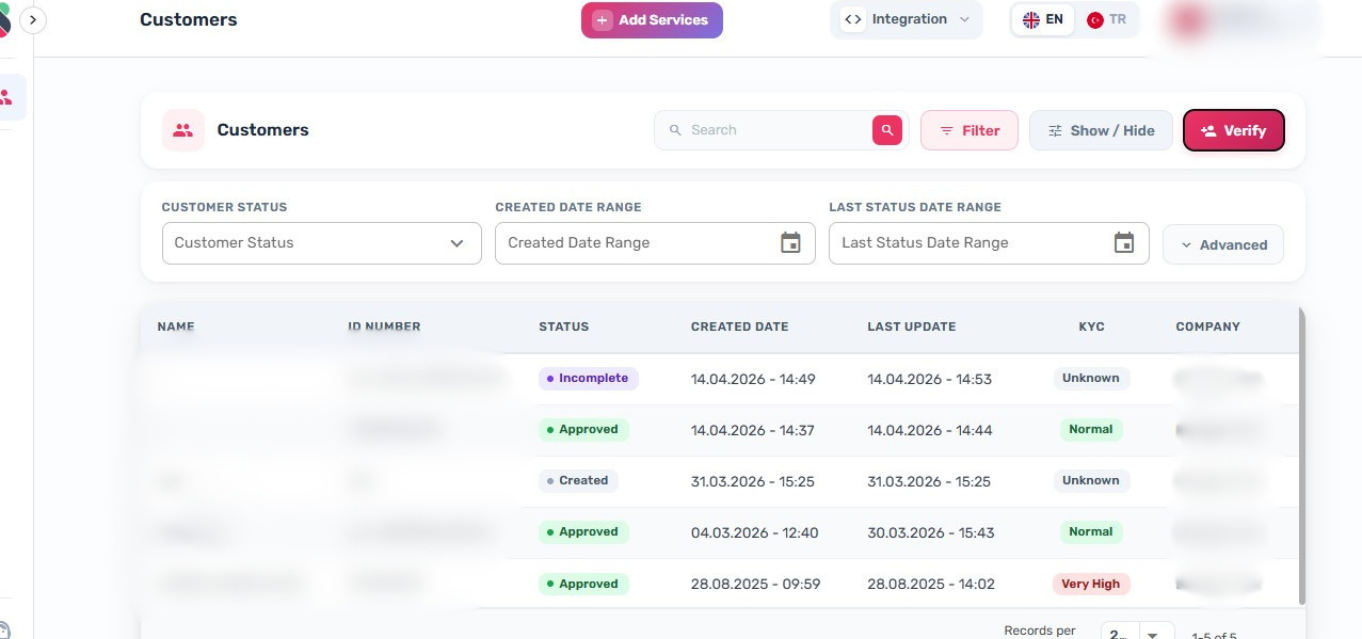
The Customers page lists all customer profiles and is the default landing page after login.
Routes
//customers
Table Columns
The following columns are available in the customers table:
| Column | Field | Notes |
|---|---|---|
| Name | name | Displays - if name is undefined |
| ID Number | id_card_number | Truncated with ellipsis on overflow |
| Status | status | Profile status (see values below) |
| Created Date | created_at | Formatted as DD.MM.YYYY - HH:mm |
| Last Update | last_status_update | Formatted as DD.MM.YYYY - HH:mm; displays - if not set |
| KYC | risk | Risk-based display (see values below) |
| AML | aml_status | Shown only when AML is enabled |
| BioPay | biopay_enabled | Shown only when BioPay is enabled |
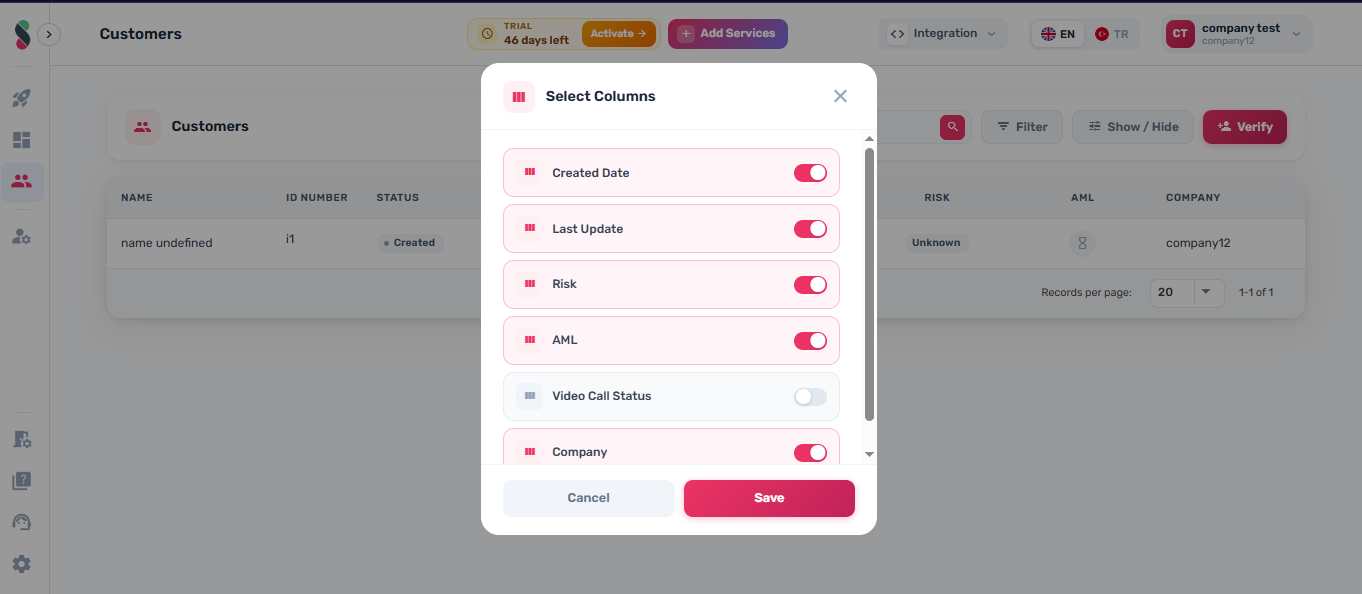
| Video Call Status | video_call_status | Always available but optional in visible columns |
| Company | company_name | — |
Clicking any cell in a row navigates to /profile/:id.
Profile Status Values
CREATED, INCOMPLETE, PENDING_REVIEW, PENDING_APPROVAL, PENDING_UPLOAD, APPROVED, REJECTED, BLACKLISTED, INACTIVE
KYC Column Values
Derived from the risk field:
| Risk value | Display label |
|---|---|
NORMAL | Approved |
HIGH | Pending |
VERY_HIGH | Rejected |
| (other) | Created |
AML Column Values
Shown when AML is enabled. Derived from aml_status:
aml_status value | Status label | Title |
|---|---|---|
true | Approved | Low |
false | Rejected | High |
| (null / not set) | Created | Not Checked |
BioPay Column Values
Shown when BioPay is enabled. Derived from biopay_enabled:
| Value | Display |
|---|---|
true | Enabled |
false | Disabled |
Video Call Status Values
WAITING, MISSED, TALKING, COMPLETE, INCOMPLETE, ESCALATED, BAD QUALITY, DISCONNECTED, APPROVED, REJECTED, CONNECTION ERROR, SUSPICIOUS
Show / Hide Columns
- Click Show/Hide to open the column visibility dialog and select which columns appear in the table.
- Column visibility is persisted in browser LocalStorage.
Search and Filters
Standard Filters
| Filter | Description |
|---|---|
| Search | Free-text search across profiles |
| Status | Filter by profile status |
| Created Date | Date range filter on created_at |
| Last Status Update | Date range filter on last_status_update |
| Company | Filter by company (visible to superusers only) |
Advanced Filters
| Filter | Field |
|---|---|
| Document Type | has_document_type |
| Nationality | nationality |
| Expiry Date | expiry_date |
| Risk | risk (Normal / High / Very High) |
| Age | age |
| Video Call Status | video_call_status |
Advanced filters are grouped in a collapsible panel. The panel opens automatically when a URL query string contains any advanced filter parameter.
URL State
All active filters and pagination parameters are reflected in the URL query string. Filter state is preserved across page reloads and links are shareable.
Pagination
- Rows per page options: 20, 50, 100 (default: 20).
- Pagination is server-side.
Inline Status Change
A customer's status can be changed directly from the list.
- Changing status to REJECTED or BLACKLISTED opens a dialog requiring a reason. The reason must be more than 10 characters.
- All other status changes are applied immediately without a prompt.
First Login Popup
On first login, if the account uses the standard product, a Getting Started popup appears. This popup can be dismissed or set to not show again.
Some columns and actions may only appear if your role has the required permissions. The Company filter is only visible to superusers.