Getting Started
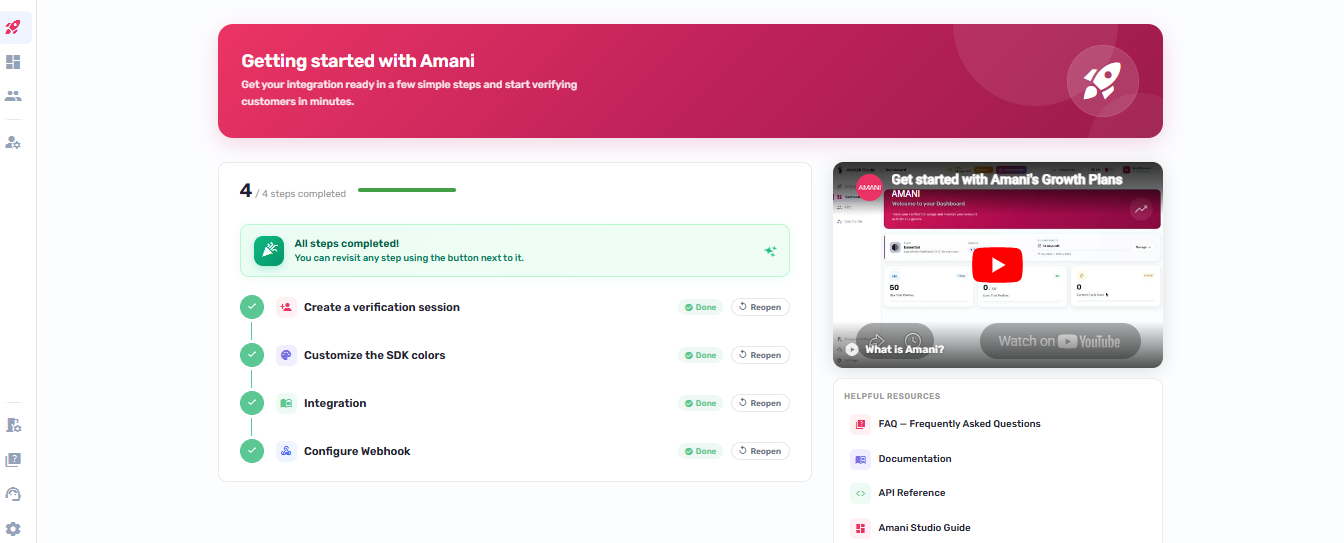
When you first log in to Amani Studio, you'll be guided through four quick setup steps. Completing them ensures your account is fully configured — with a test customer created, your brand colors set, your team pointed to the right documentation, and your system ready to receive real-time verification events via webhook.
You can return to this checklist at any time from the sidebar. Each step shows a green "Done" indicator once completed.
Route
/getting-started
Layout
The page has two columns:
- Left column — step list with a progress indicator.
- Right column — an embedded YouTube video and a set of resource links.
A linear progress bar and an X / 4 steps-completed counter are displayed above the step list.
Each active step shows:
- A description and optional hint.
- A primary action button.
- An optional secondary action button (Skip).
- A Back button on steps 2, 3, and 4.
Completed steps display a "Done" chip and the step number indicator turns green.
Steps
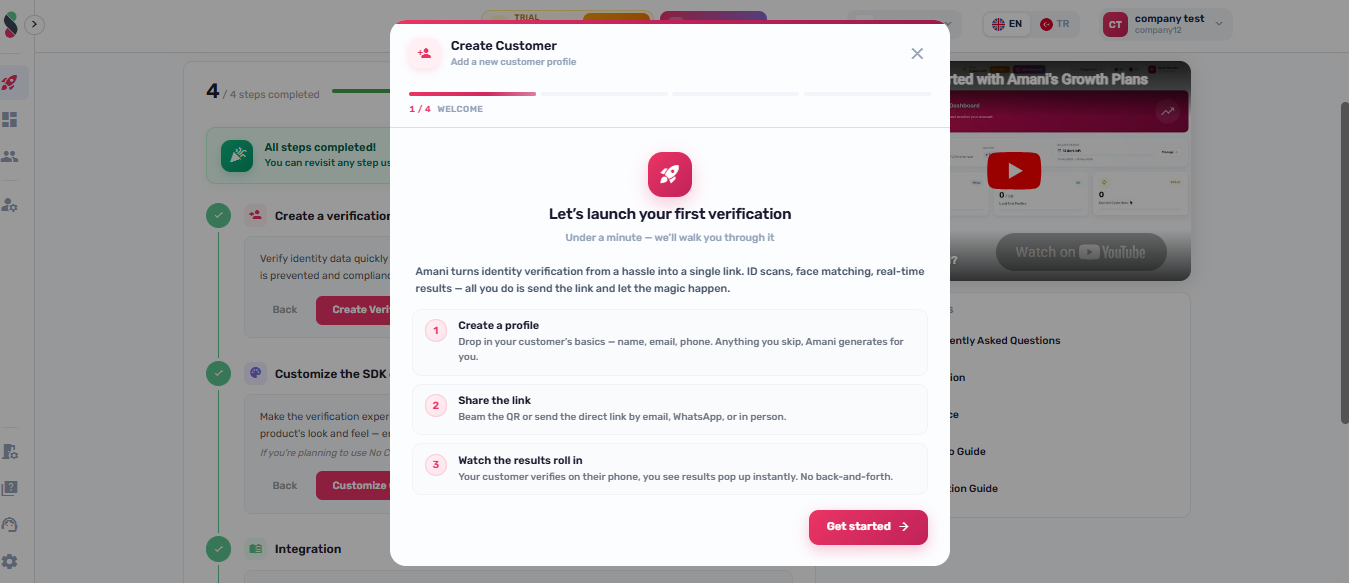
Step 1 — Create First Profile
- Primary action: opens the Create Customer dialog.
- Step advances to step 2 once
GET /profilereturnscount > 0.
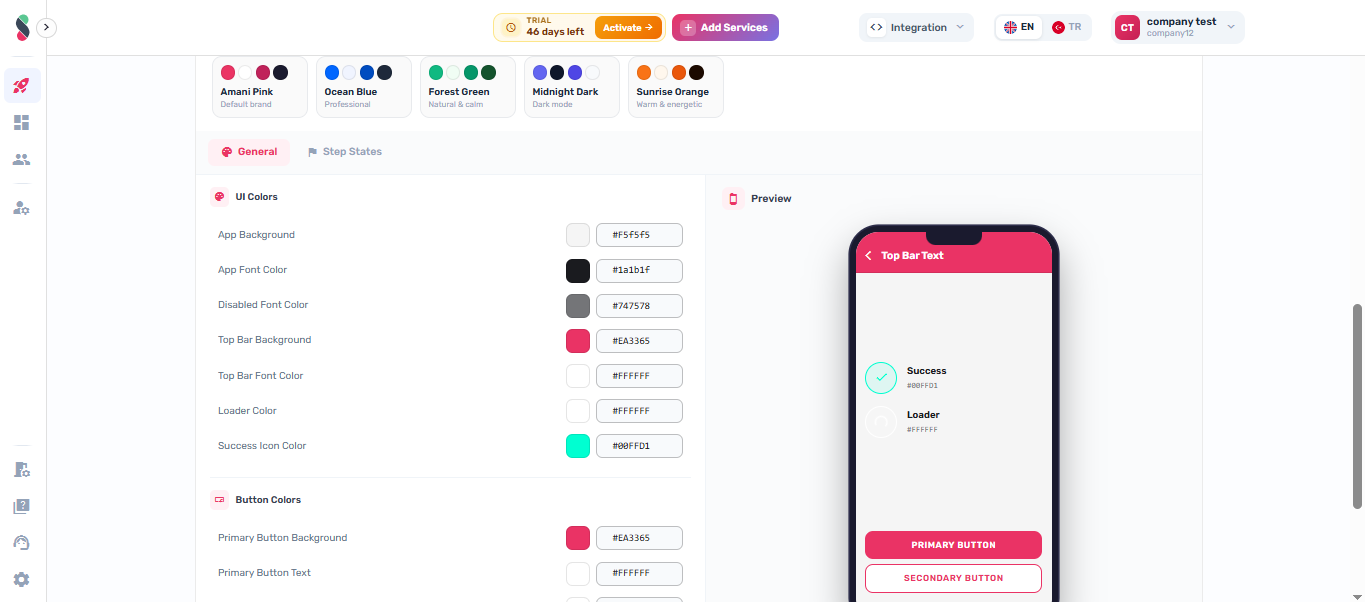
Step 2 — Customize SDK Colors (Optional)
- Primary action (Customize Colors): slides in an inline
AppColorConfigspanel below the main layout.- Saving the color configuration writes
colorStepDonetoLocalStorageand advances to step 3. - The panel can be closed with the close (X) button without saving.
- Saving the color configuration writes
- Secondary action (Skip): writes
colorStepDone: skippedtoLocalStorageand advances to step 3.
Step 3 — Review Documentation
- Primary action: opens
https://documentation.amani.ai/wikiin a new tab, writesdocsStepDonetoLocalStorage, and advances to step 4.

Step 4 — Configure Webhook
- Primary action: writes
webhookStepDonetoLocalStorageand navigates to/company-settings.

Step Completion Logic
| Step | Completion condition |
|---|---|
| 1 | GET /profile returns count > 0 |
| 2 | colorStepDone key present in LocalStorage (saved or skipped) |
| 3 | docsStepDone key present in LocalStorage |
| 4 | webhookStepDone key present in LocalStorage |
Step state is recalculated on page mount and after the Create Customer dialog closes.
Right Column
Video
An embedded YouTube video (https://www.youtube.com/embed/dspDkIN320w) is displayed in 16:9 ratio.
Resource Links
The following links open in a new tab: