Account Activation, Payment & Webhook
This page covers step-by-step instructions for activating your account, managing your subscription, and setting up your webhook. For a reference overview of all Company Settings tabs, see Company Settings.
Route
/company-settings
Account Activation
New accounts start on a free trial. To activate a paid plan:
- Navigate to https://app.amani.ai
- Click "Activate Account" in the top navigation bar
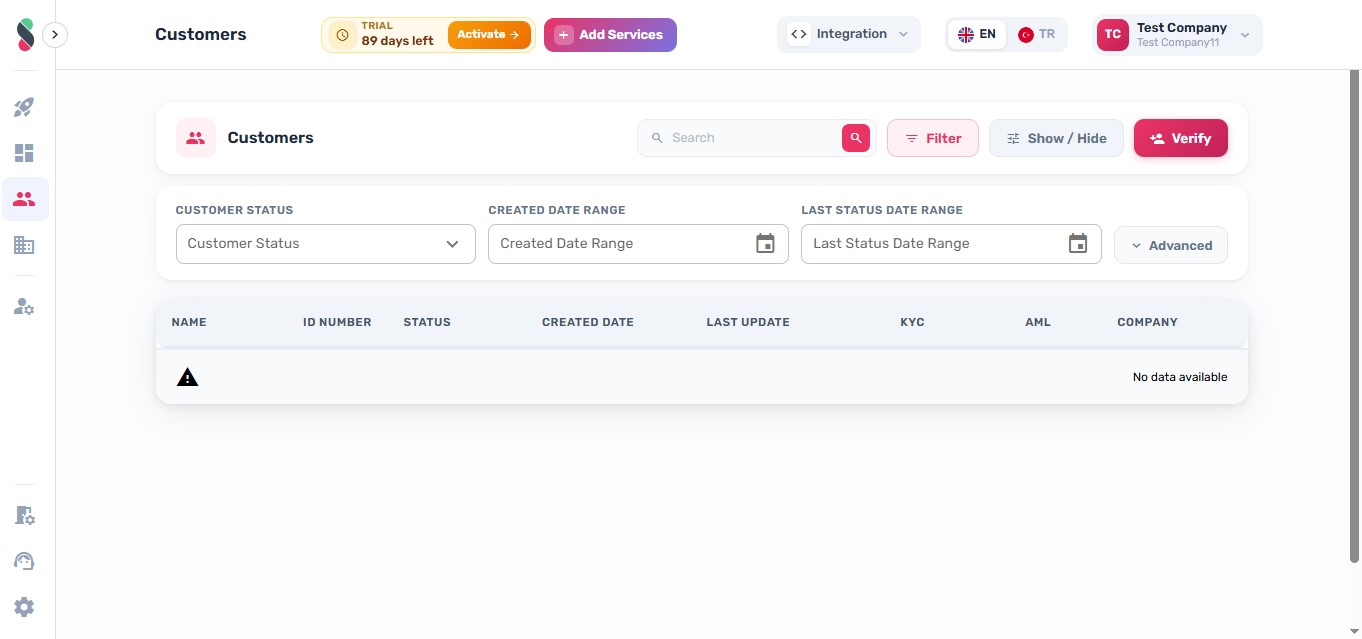
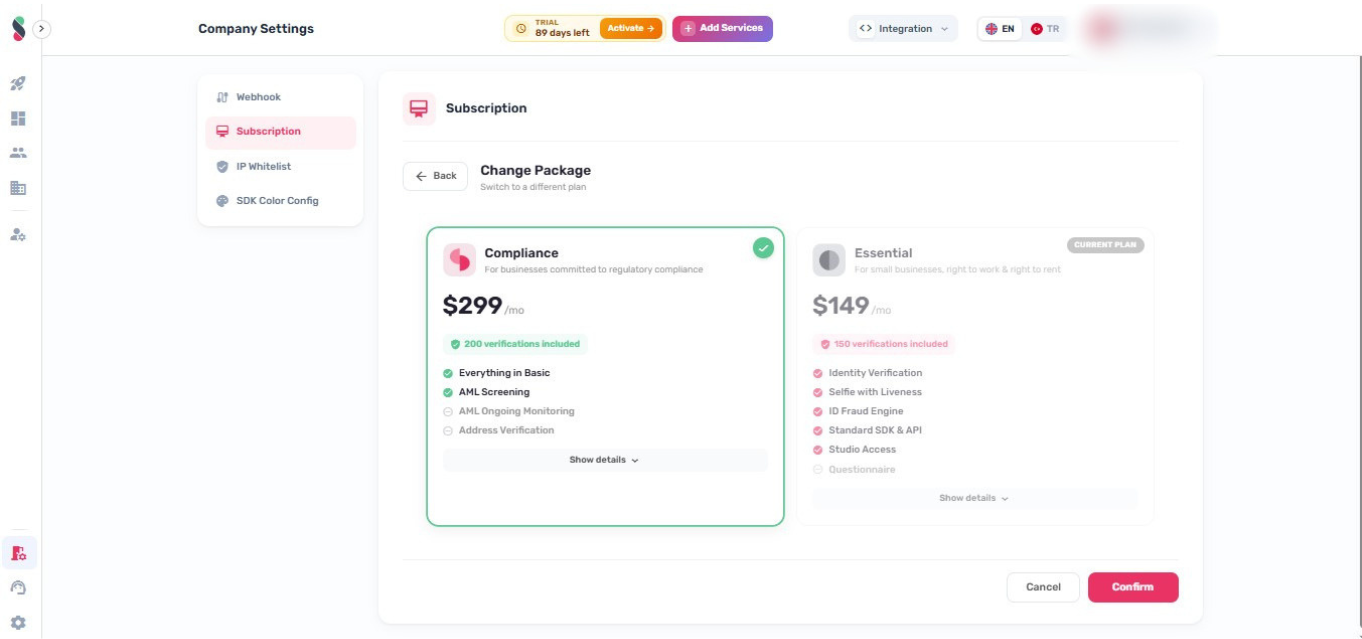
- Select a plan from the list
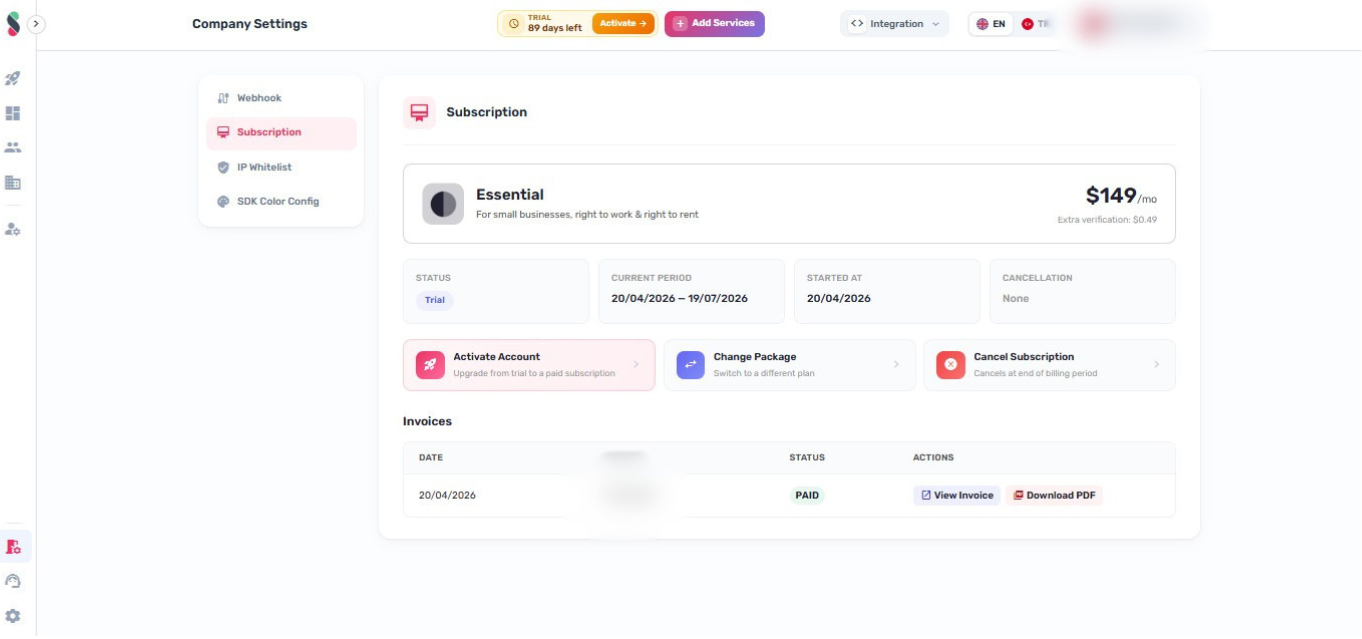
- Click "Pay Now"
-
Enter your payment details in the payment form
-
Click "Pay" to complete the transaction
A confirmation email is sent once payment is processed and the account is activated.
Managing Your Subscription
Access subscription settings from Company Settings in the left sidebar.
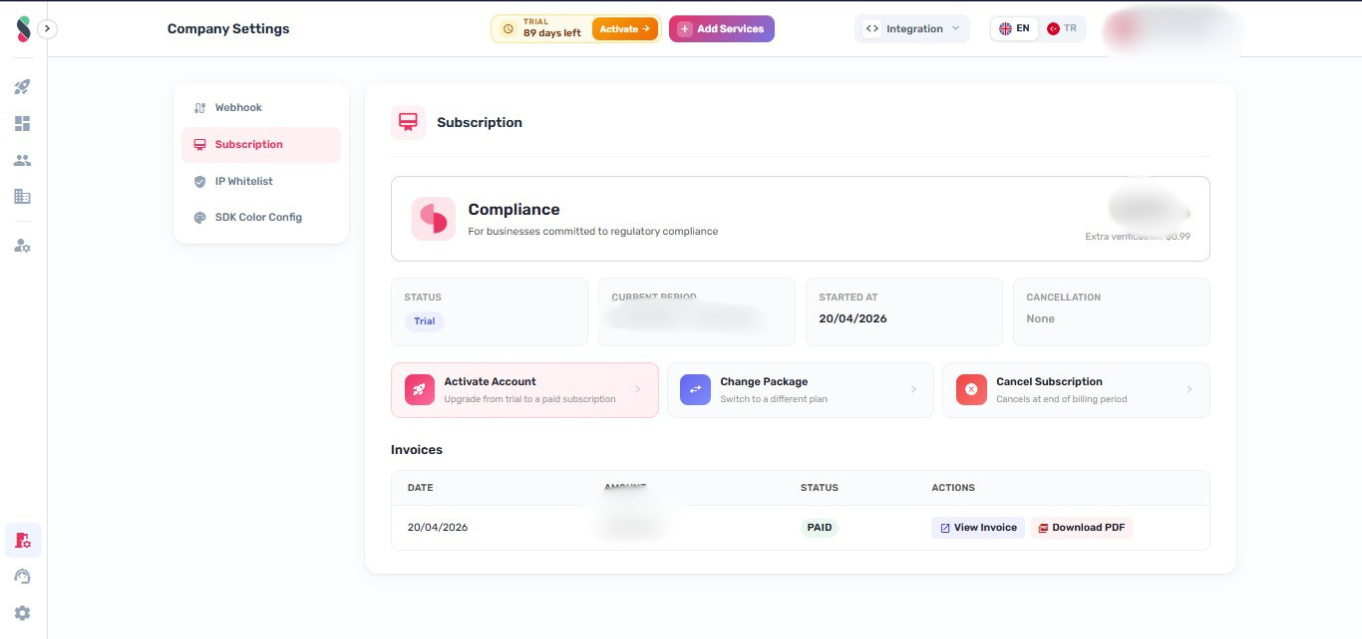
Cancel Subscription
Click "Cancel Subscription". Account access remains active until the end of the current billing period.
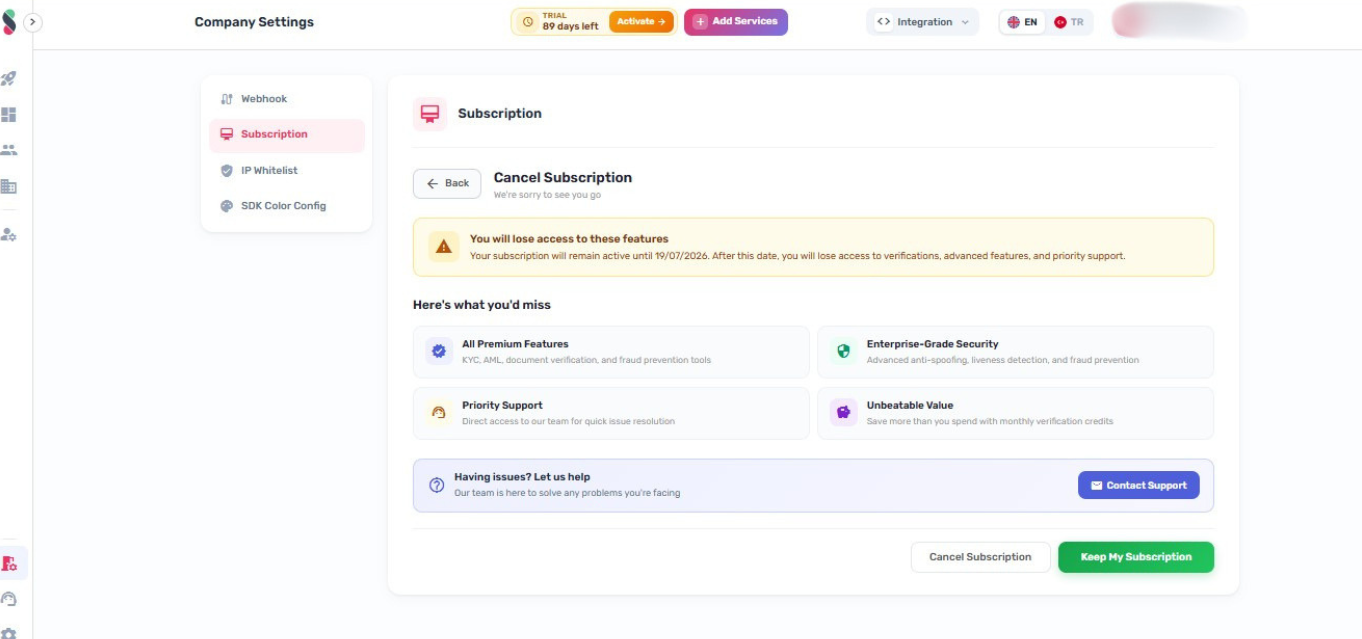
Upgrade Plan
Click "Upgrade Plan" and select a new plan. The change takes effect immediately.
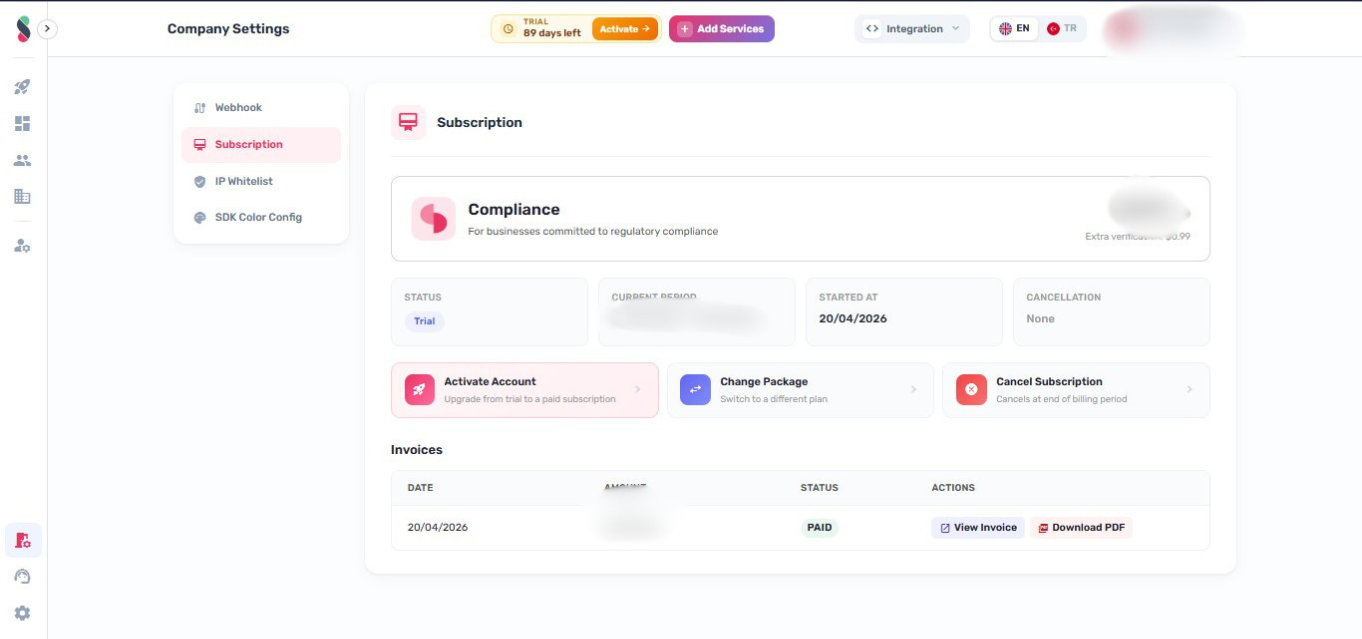
Webhook Configuration
The webhook setting sends HTTP POST notifications to a specified server endpoint when verification events occur (e.g., customer approved or rejected).
- In the left sidebar, click "Company Settings", then select "Webhook"
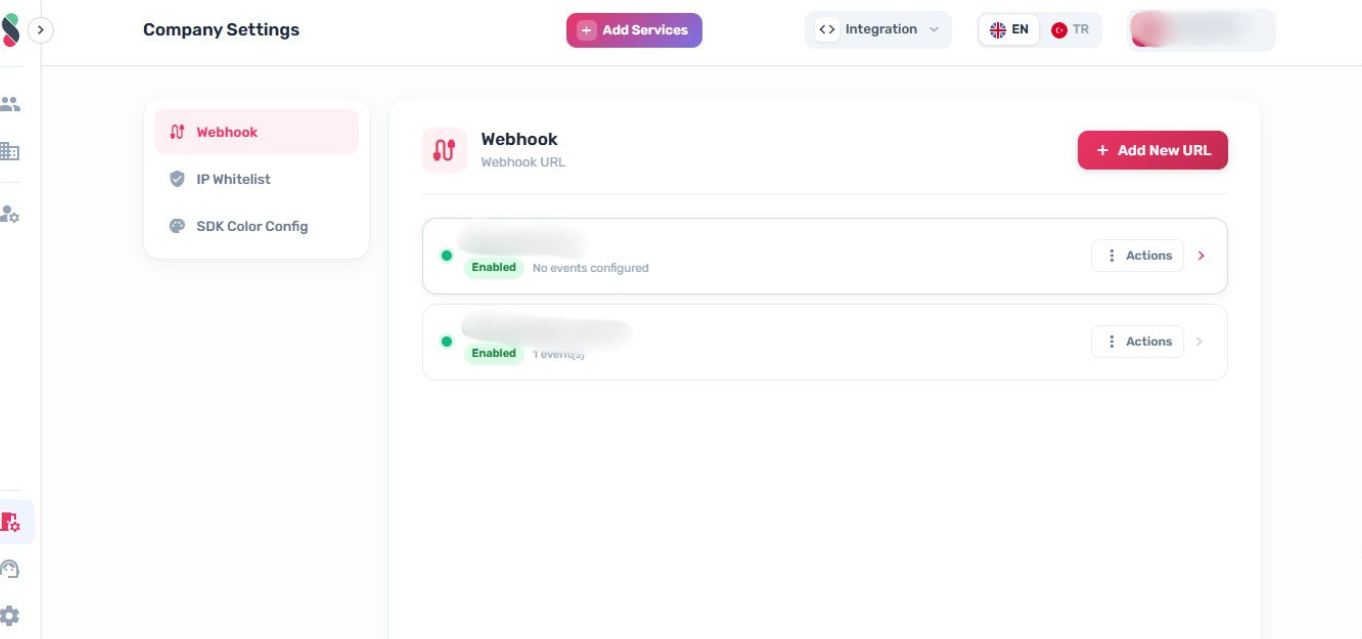
- Enter the webhook URL in the input field
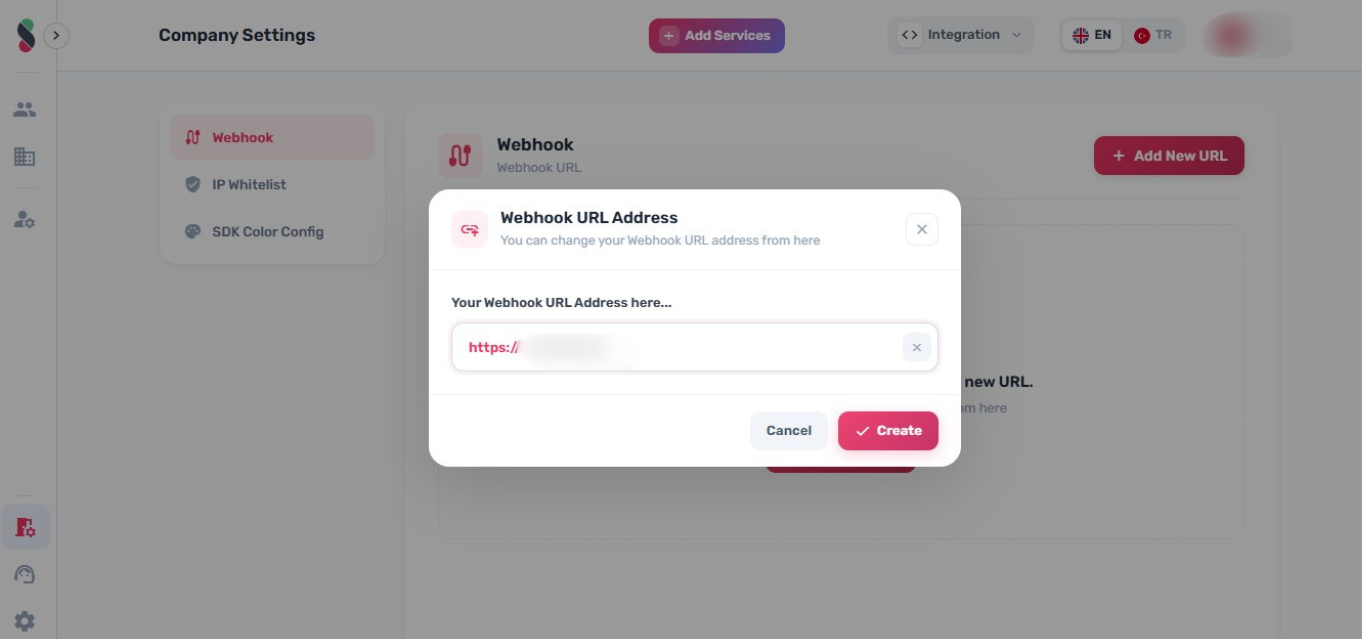
- Click "Save" to register the endpoint
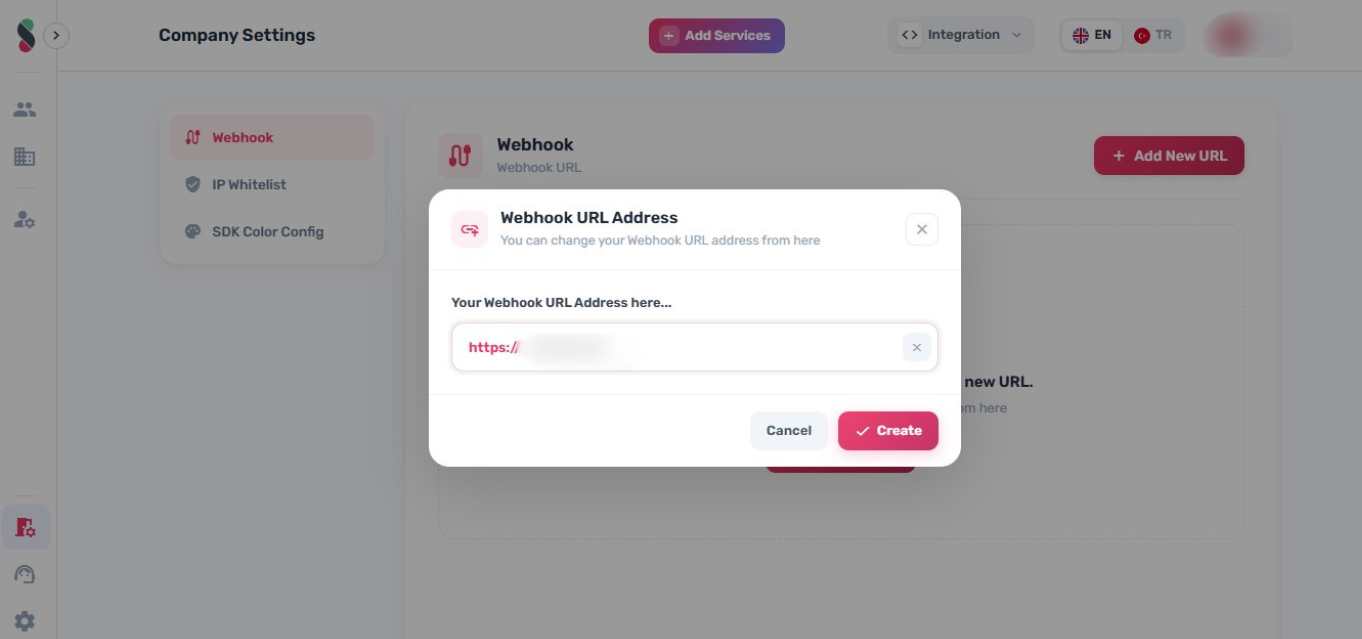
- Click "Show" to reveal the webhook secret key
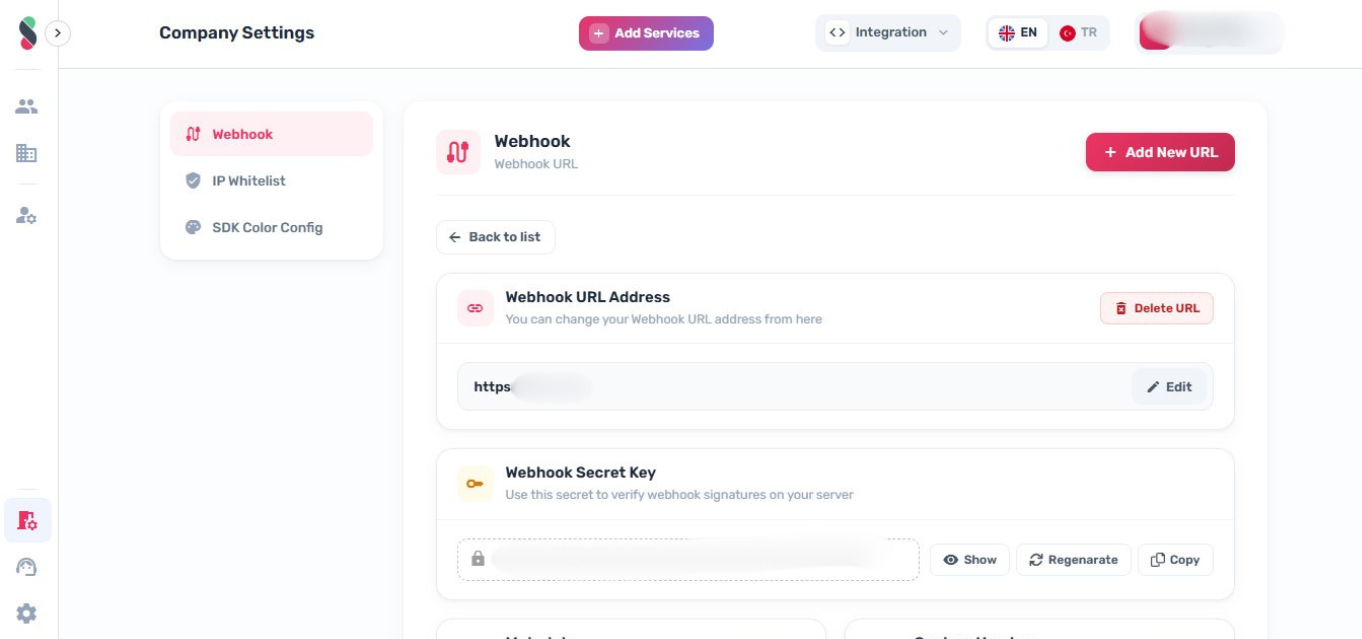
Use the webhook secret key on your server to verify the authenticity of incoming webhook requests. Do not expose it in client-side code or public repositories.
IP Whitelist
If enabled for your organization, Company Settings includes an IP Whitelist section to restrict access to approved IP addresses.
For API-level behavior and request format, see: IP Whitelist
SDK Color Config
If available, Company Settings includes an SDK Color Config section to configure brand colors used in Amani verification flows.