BioLogin
BioLogin lets you verify your identity by taking a selfie instead of entering a password. There are two entry points: the main selfie capture screen and a legacy alternate entry screen.
Link Settings
The BioLogin link the business sends you includes the following built-in settings:
- A session token (pid) — required, identifies your session
- A server address (server_url) — required, tells the app which region to connect to
- An optional access token (tk or token) and language override (ln or language)
Screens
- Main selfie screen (current BioLogin experience)
- Legacy alternate selfie entry screen
How BioLogin Works
Main Selfie Screen
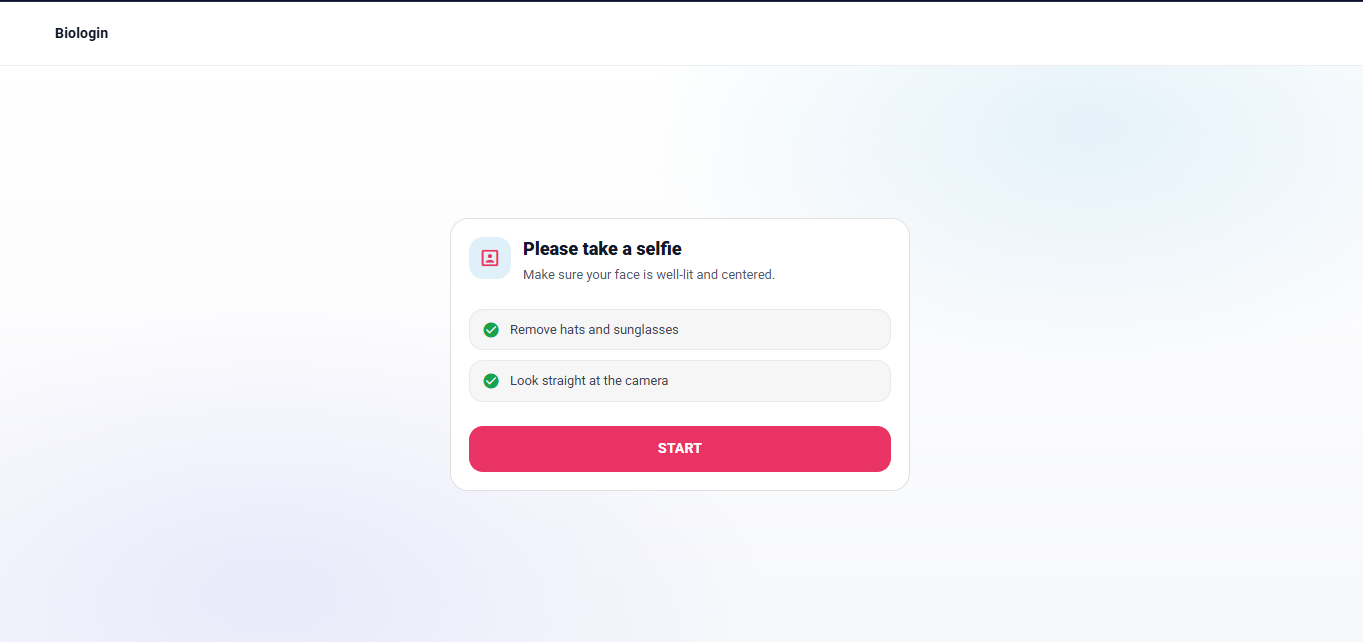
- Purpose: Walk you through an introduction, selfie capture, preview, and result in one place.
- When you arrive here: You open a BioLogin link sent by the business.
- What you do: Tap Start, take a selfie, review the image, and receive your result. You can retry if the result is unsuccessful.
- What happens next:
- Success — you are taken to the Completion screen, which then returns you to the business website.
- Failure — you stay on the BioLogin screen and can try again.

How Your Session Is Kept Safe
- Sensitive link settings are saved locally in the browser after you open the link.
- The original link settings are removed from the address bar after saving.
- A time limit is applied so saved data does not persist indefinitely.
Screens You Move Through
- Intro — instructions and a Start button
- Capture — live camera view for your selfie
- Preview — you confirm or retake the selfie
- Result — shows whether verification passed or failed
What Gets Sent for Verification
When you submit your selfie, the app sends your session token, the selfie image, information about your device, and (if enabled) your location sharing data.
Language
- The language shown matches the preference set in your link or the business's default.
- Arabic content automatically switches the layout to right-to-left.
note
On a successful result, BioLogin takes you to the Completion screen, which then redirects you back to the business.