Email Verification (OTP)
Email Verification (OTP)
Overview
You confirm your email address by entering a one-time code (OTP) sent to your inbox.
User Journey (Step-by-step)
Route: /email-verify
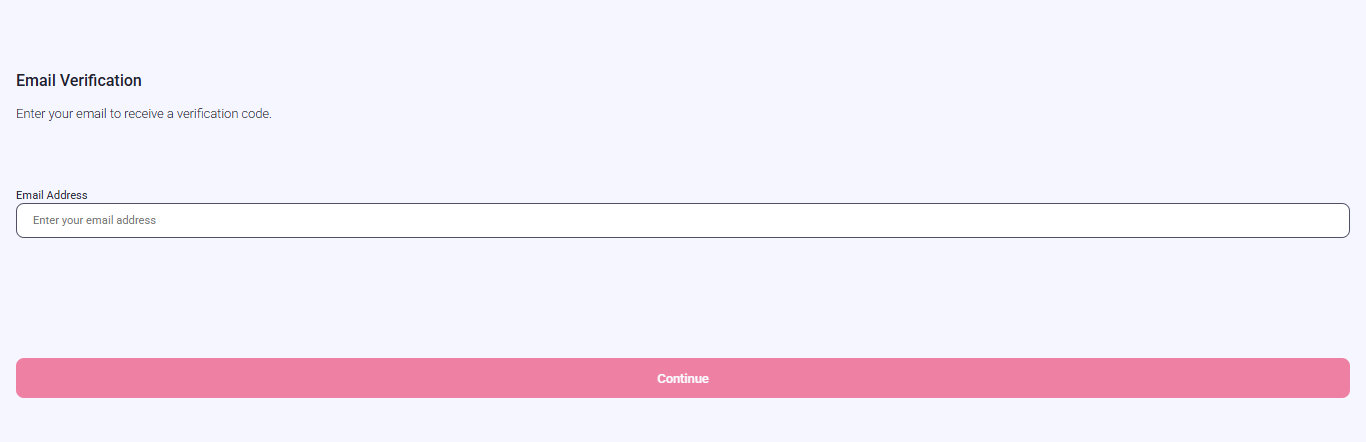
What you see:
- A screen asking for your email address.
- A Continue button (disabled until the email looks valid).
What you do:
- Enter your email address.
- Tap Continue.
What happens next:
- You are shown the one-time code (OTP) entry screen.
- A one-time code (OTP) is sent to your email inbox.
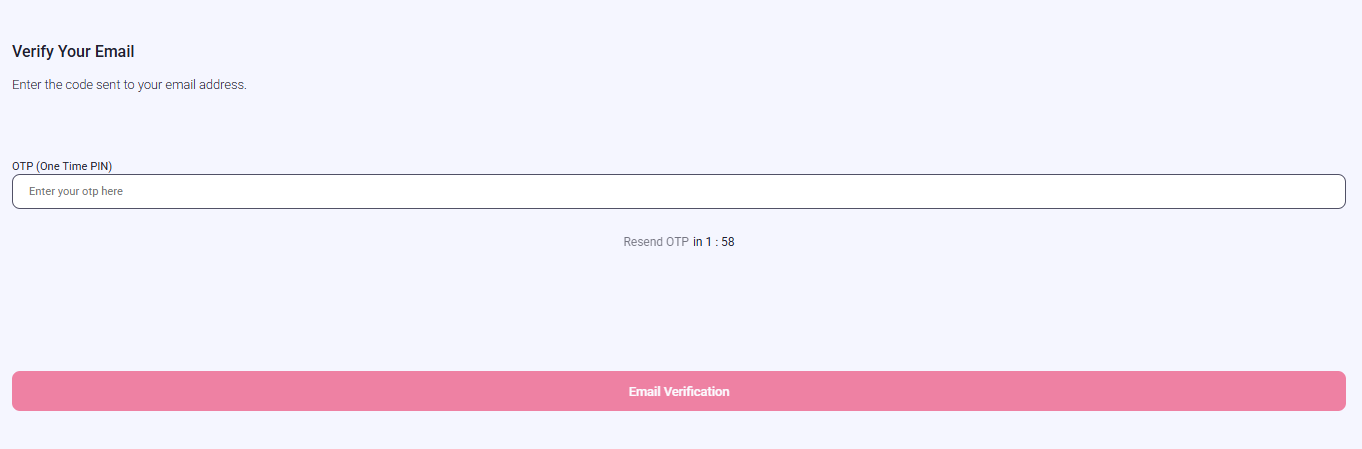
What you see:
- A one-time code (OTP) input field.
- A Verify button.
- A resend option with a countdown timer.
What you do:
- Enter the one-time code (OTP) from your email.
- Tap Verify.
What happens next:
- If verification succeeds, you continue to the next required verification screen.
Entry Conditions
- Email verification is required and the journey brings you to this screen.
Exit Conditions
- After successful one-time code (OTP) verification, you continue to the next required screen.
Branches
- Invalid email entry:
- Continue stays disabled or an error is shown. You remain on the email entry screen.
- Incorrect one-time code (OTP):
- You stay on the code entry screen and can try again.
- Resend code:
- The resend button is disabled until the timer reaches zero. Only one resend is allowed per session.