Questionnaire
Questionnaire
Overview
You answer a set of questions required by the business before continuing verification.
User Journey (Step-by-step)
Route: /questionaire
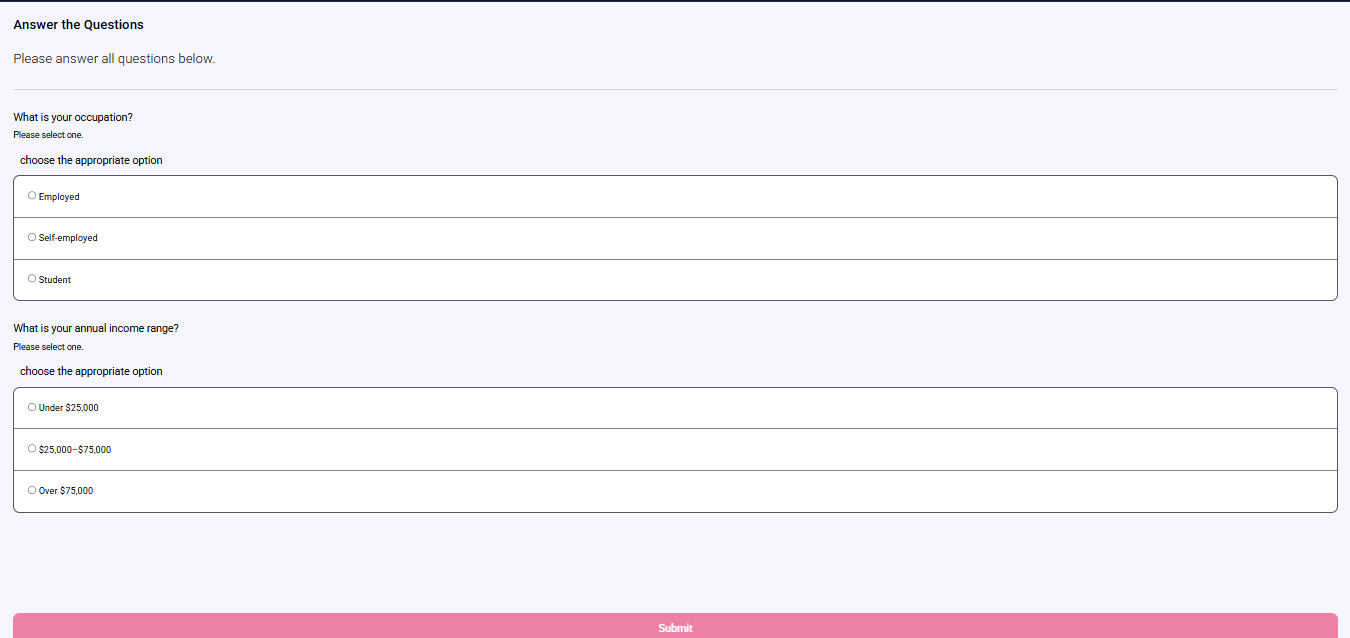
What you see:
- A list of questions.
- Different answer types depending on each question (single choice, multiple choice, typed text, or number).
- A Submit button (disabled until all required answers are provided).
What you do:
- Answer each question.
- Tap Submit.
What happens next:
- If submission succeeds, you continue to the next required verification screen.
Entry Conditions
- A questionnaire is required and the journey brings you to this screen.
Exit Conditions
- After successful submission, you continue to the next required screen.
Branches
- Not all questions answered:
- Submit remains disabled and you stay on the questionnaire screen.
- Submission error (for example a duplicate submission):
- You stay on the questionnaire screen and can try again.